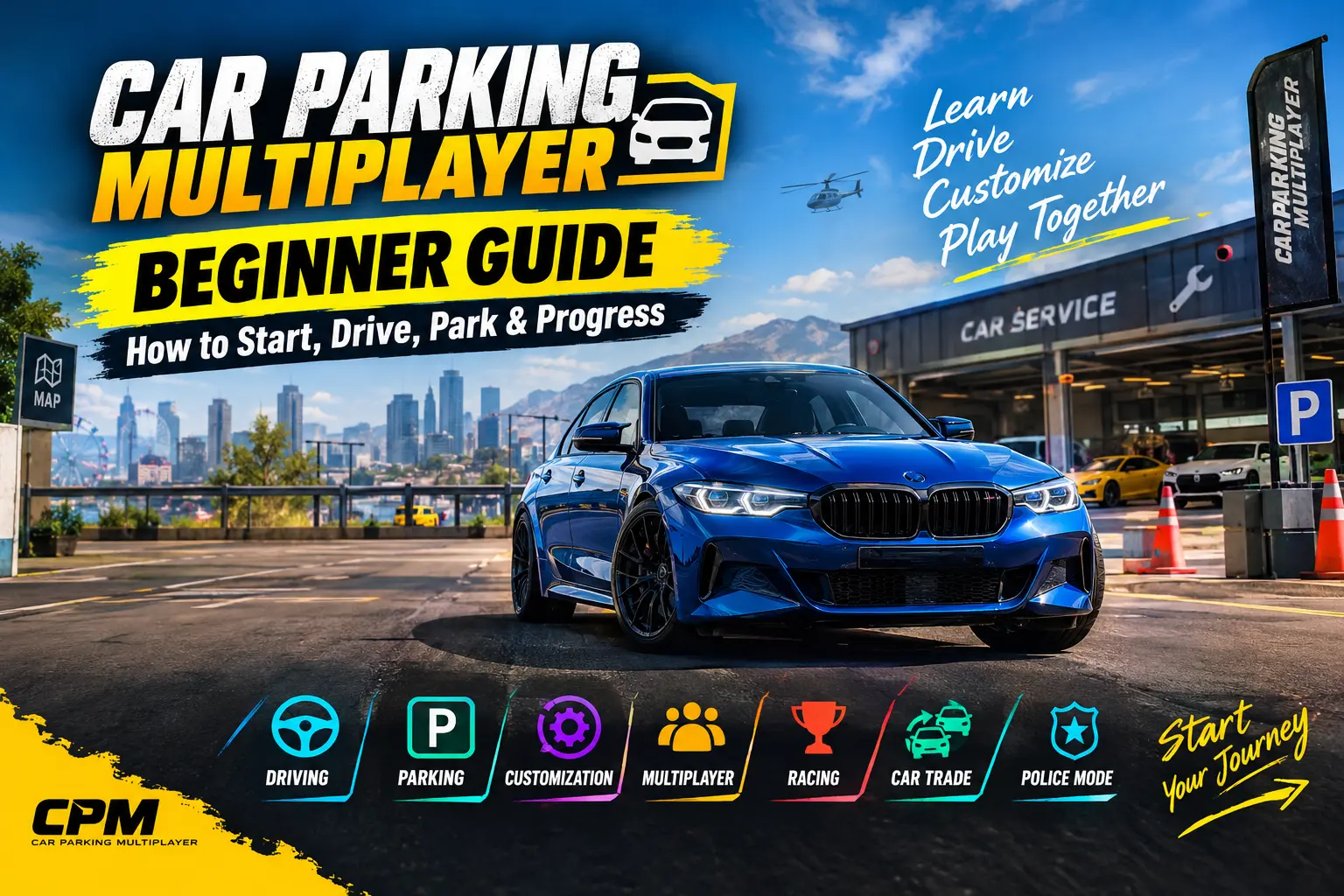
Car Parking Multiplayer Beginner Guide: How to Start, Drive, Park & Progress
Car Parking Multiplayer beginner guide is designed for new players who are opening the game for the first time and are not sure what to do next. The game combines open-world driving with parking challenges, car customization, multiplayer activities, racing, vehicle exchanges, voice chat, police mode, and free-roaming gameplay.
If you are new to the game, you do not need to master everything at once. Start by learning the controls, understand how your car handles, complete a few parking challenges, explore the map, and then move into customization and multiplayer.
What Is Car Parking Multiplayer?
Car Parking Multiplayer is an open-world driving and parking game developed by olzhass. It combines parking challenges with free driving, vehicle customization, multiplayer activities, racing, vehicle exchanges, voice chat, and police mode.
For a beginner, it is easier to understand the game by dividing the experience into four main areas:
- Driving – Learn steering, acceleration, braking, reversing, and camera control.
- Parking – Practice controlled driving through parking and driving challenges.
- Progression – Complete activities, improve your driving skills, and build your garage.
- Multiplayer – Drive with other players, explore social features, race, and participate in multiplayer activities.
The important thing to remember is that you do not need to learn all four areas on your first day.
How to Start Car Parking Multiplayer as a Beginner
When you first enter the game, focus on learning your car instead of immediately trying to race or modify everything.
A simple beginner path is:
- Choose a comfortable control method.
- Adjust the camera so you can see your car clearly.
- Practice acceleration and braking.
- Learn how to turn and reverse.
- Complete some basic parking challenges.
- Explore the open world.
- Learn the basics of vehicle customization.
- Try multiplayer after becoming comfortable with normal driving.
This gives you a foundation before moving into faster cars, racing, advanced tuning, trading, or other specialized activities.Car Parking Multiplayer for iOS
Learn the Controls First
Good control is more important than having an expensive car.
Spend a few minutes testing the available steering method and choose the one that lets you make small and predictable movements. When parking, avoid constantly moving the steering from one extreme to the other.
Basic Controls Beginners Should Understand
| Control | What It Does | Beginner Tip |
|---|---|---|
| Accelerator | Moves the car forward | Use light input while parking |
| Brake | Slows or stops the car | Brake before tight turns |
| Steering | Changes direction | Make small corrections |
| Reverse | Moves the car backward | Reverse slowly while parking |
| Camera | Changes your view | Change views when judging corners |
| Handbrake | Helps with specific maneuvers | Do not depend on it for normal braking |
One of the easiest mistakes to make is using full acceleration everywhere. Parking and tight turns require controlled movement, not maximum speed.
Choose a Camera View That Helps You Drive
Your camera position can make a noticeable difference when learning the game.
A wider third-person view can help you see your car and the surrounding area while driving. A closer view can be useful when you need more precise positioning.
When parking, change the camera if you cannot judge the distance between your car and nearby objects.
A simple rule is:
If you cannot clearly see where the car is going, change the camera before moving.
This can make tight parking and reversing much easier.
How to Drive Your First Car
Your first goal is not speed. It is learning how much space your car needs.
Find an open area and practice:
- Driving forward in a straight line
- Braking smoothly
- Making left and right turns
- Reversing
- Turning around
- Stopping at a specific point
- Driving through narrow areas
- Changing camera views
Keep your speed low while learning. Once steering and braking feel comfortable, gradually increase your speed.
Beginner Driving Rule
Slow down before the turn, steer smoothly, and accelerate after the car is aligned.
This gives you more time to correct mistakes than entering every turn at high speed.
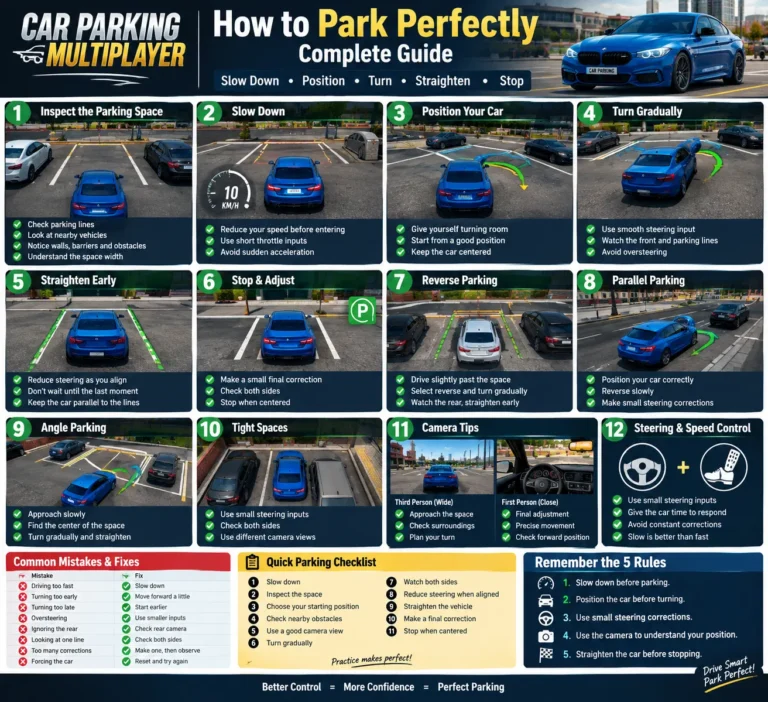
How to Complete Parking Challenges
Parking challenges are useful for beginners because they teach you how to control a vehicle in smaller spaces.
Instead of trying to finish as quickly as possible, focus on accuracy.
1. Control Your Speed
Use gentle acceleration when approaching a parking space. Lower speed gives you more time to correct your steering.
2. Watch the Car’s Corners
Do not focus only on the front of the vehicle. Watch the sides and rear when turning or reversing.
3. Correct Your Position
If your car enters the space at the wrong angle, do not force the maneuver. Move back, straighten the vehicle, and try again.
Common Parking Situations
You may need to practice:
- Straight parking
- Reverse parking
- Turning into a parking space
- Parking in tight areas
- Parking between other vehicles
- Correcting an angled position
The goal is not simply to complete the challenge. You are also learning how your vehicle responds to steering, braking, and reversing.
How to Progress as a New Player
After learning the basic controls, you can start building your own progression path.
The game gives you different ways to spend your time, so there is no need to rush into every feature.
A simple progression loop is:
Learn → Practice → Complete Activities → Improve Your Driving → Customize Your Car → Explore → Try Multiplayer
For example, you can begin with parking and normal driving. Once you are comfortable, explore customization and other activities. Later, you can specialize in racing, drifting, collecting cars, or multiplayer.
What Should You Focus On First?
If you are completely new, this order is easier:
First: Learn the controls
Second: Practice parking
Third: Explore the map
Fourth: Understand your car
Fifth: Learn basic customization
Sixth: Try multiplayer
Seventh: Choose the gameplay style you enjoy
This prevents the game from feeling overwhelming.
How to Choose a Beginner-Friendly Car
A beginner does not necessarily need the fastest or most powerful car.
When choosing a vehicle for learning, focus on how easy it is to control.
Look at:
- Handling
- Braking
- Acceleration
- Vehicle size
- Stability
- Turning response
- Your preferred driving style
What Beginners Should Look For
| Goal | What to Look For |
|---|---|
| Easy parking | Manageable size and predictable handling |
| Normal driving | Balanced acceleration and braking |
| Learning the map | Comfortable and stable handling |
| Future racing | A car you can control confidently |
| Customization | A vehicle that fits your preferred style |
The most important thing is familiarity. A car that you can control comfortably is often more useful to a beginner than a faster car that feels difficult to handle.
Once you have more experience, you can explore dedicated guides for fast cars, drift cars, and performance tuning.
Explore the Open World
Car Parking Multiplayer is not limited to parking spaces. You can also explore the open world, drive around different areas, interact with other players, and discover different gameplay activities.
After learning the basic controls, spend some time exploring.
Look for:
- Roads and driving areas
- Parking locations
- Gas stations
- Car service areas
- Other players
- Multiplayer activities
- Places where you can practice driving
Exploring before joining busy multiplayer sessions can help you become more comfortable with navigation and vehicle control.
Understand Car Customization
Car customization is another part of the game that beginners can explore after learning basic driving.
Depending on the available vehicle and game build, customization can include visual and performance-related options.
As a beginner, avoid changing several settings at the same time.
Instead:
- Change one setting.
- Test the car.
- Notice the difference.
- Keep or reverse the change.
- Move to the next adjustment.
This makes it easier to understand what each change does.
You do not need advanced tuning knowledge to start playing. Learn the basics first, then move to a dedicated tuning guide when you want to build a specific setup.
When Should Beginners Join Multiplayer?
You can try multiplayer once you are comfortable controlling your car.
Before joining a busy room, make sure you can:
- Drive without constantly hitting objects
- Reverse properly
- Park reasonably well
- Control your speed
- Change camera views
- Make basic turns confidently
Multiplayer Beginner Tips
- Drive carefully around other players.
- Avoid intentionally hitting other vehicles.
- Learn the environment before joining races.
- Do not rush into vehicle exchanges you do not understand.
- Use voice chat respectfully.
- Think carefully before exchanging valuable vehicles.
You do not need to be an expert before entering multiplayer. The main goal is to understand basic vehicle control so you can enjoy the social and driving features without constantly struggling with your car.
What Should Beginners Do With Their Money?
Do not spend everything immediately.
Before buying or upgrading something, ask:
Will this help the way I actually want to play?
If you are still learning the game, keeping some resources available gives you more flexibility later.
You may eventually want to spend on:
- Another vehicle
- Useful upgrades
- Visual customization
- Features that match your preferred gameplay style
If earning in-game money becomes your main goal, use a dedicated money-making guide rather than trying to cover every earning method in this beginner article.
Beginner Mistakes to Avoid
1. Driving Too Fast
High speed makes small steering mistakes harder to recover from.
2. Using Full Acceleration While Parking
Parking requires precision rather than maximum power.
3. Ignoring the Camera
A poor camera angle can make a simple turn or parking maneuver much harder.
4. Choosing a Car Only Because It Is Fast
Speed does not automatically mean easier handling.
5. Changing Too Many Settings at Once
If you modify several things together, it becomes difficult to understand what changed.
6. Spending Everything Immediately
Keep some resources available for future vehicles or upgrades.
7. Joining Busy Multiplayer Sessions Too Early
Learn basic driving first so multiplayer feels easier.
8. Trying to Master Everything on Day One
Car Parking Multiplayer has many activities. Learn one system at a time and build your skills gradually.
A Simple 7-Day Beginner Progression Plan
If you are completely new, this schedule can help you build your skills without trying to learn everything at once.
Day 1 — Learn the Controls
Practice steering, acceleration, braking, reversing, and camera movement.
Day 2 — Practice Parking
Complete basic parking challenges and practice reversing into spaces.
Day 3 — Explore the Open World
Drive around different areas and become familiar with navigation.
Day 4 — Learn Your Car
Spend time understanding your vehicle’s handling and basic customization.
Day 5 — Build Your Progression
Complete activities you enjoy and learn how you want to build your garage.
Day 6 — Try Multiplayer
Join multiplayer, explore the environment, and learn how social and racing activities work.
Day 7 — Choose Your Play Style
Decide what you enjoy most:
- Parking
- Free driving
- Racing
- Drifting
- Customization
- Multiplayer
- Collecting cars
Once you know your preferred style, you can move to more specialized guides.
What Should You Learn After the Beginner Guide?
You do not need to learn every advanced feature immediately. Choose the next guide based on what you want to do.Car Parking Multiplayer for PC
Want to improve parking?
Learn advanced parking techniques and reversing methods.
Want faster cars?
Explore performance-focused car guides.
Want to drift?
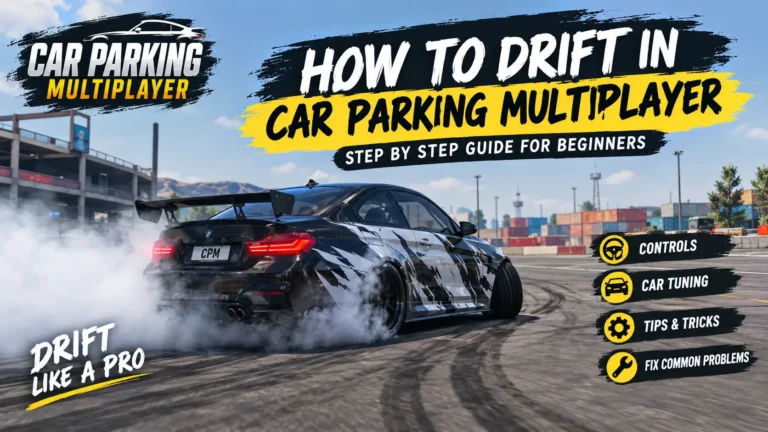
Learn drifting techniques and suitable vehicles.
Want to customize cars?
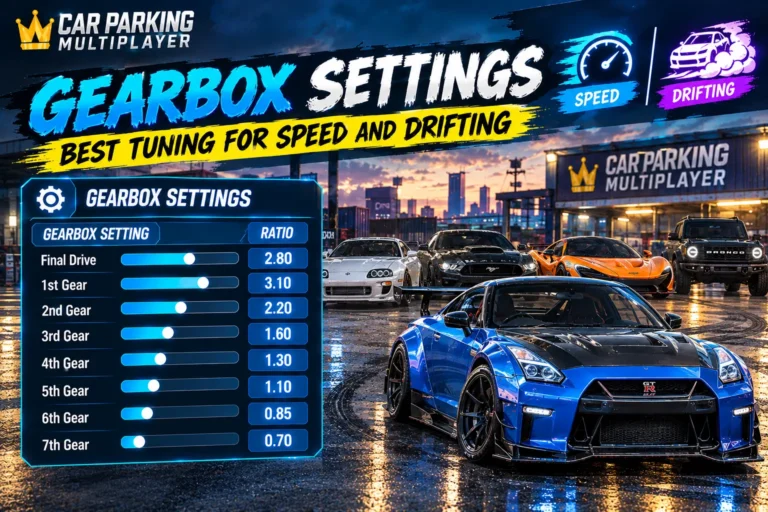
Move into advanced tuning and customization.
Want more multiplayer activities?
Learn about trading, voice chat, racing, and other multiplayer features.
Having performance problems?
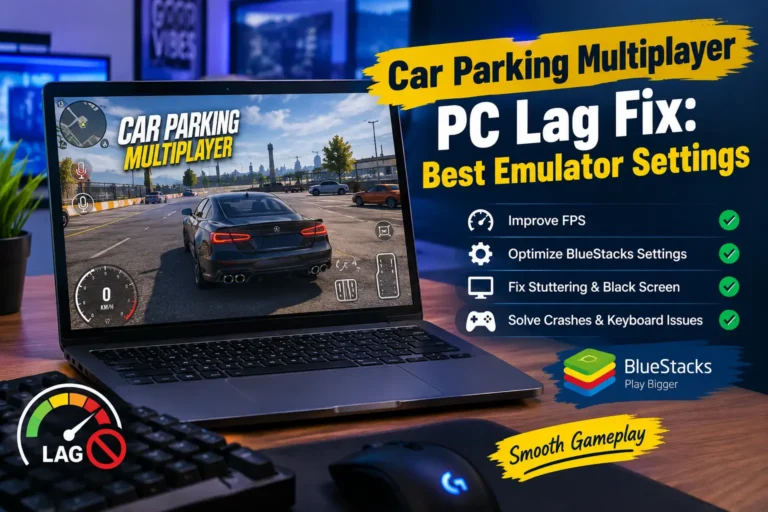
Use a dedicated guide for lag, FPS drops, and other technical issues.
This approach keeps the beginner experience simple while giving you a clear path toward more advanced gameplay.
Car Parking Multiplayer Beginner FAQ
Is Car Parking Multiplayer only about parking?
No. Parking is an important part of the game, but the experience also includes open-world driving, multiplayer activities, vehicle exchanges, customization, voice chat, police-related gameplay, and other driving activities.
What should I learn first in Car Parking Multiplayer?
Start with steering, braking, acceleration, reversing, camera control, and basic parking. These skills create the foundation for the rest of the game.
What is the best car for a beginner?
There is no single best car for every beginner. Look for a vehicle that feels easy to control, has predictable braking and steering, and suits the way you want to play.
Should beginners join multiplayer?
Yes, once you are comfortable with basic driving. You do not need advanced skills, but knowing how to control, reverse, park, and turn your car will make multiplayer easier.
How can I get better at parking?
Practice slow steering, controlled braking, reversing, camera positioning, and small corrections. Focus on accuracy instead of completing every challenge as quickly as possible.
Should I tune my car immediately?
Not necessarily. Learn how your car handles first. Once you understand the basics, make one change at a time and test the result.
What should I do after learning the basics?
Choose the activity you enjoy most. You can focus on parking, driving, racing, drifting, customization, multiplayer, or collecting vehicles and then move to a specialized guide.
Final Tips for New Players
Car Parking Multiplayer becomes easier when you do not try to learn everything at once.Car Parking Multiplayer Blog
Start with controls, move to parking, explore the open world, understand your progression, and then try customization and multiplayer.
Remember these simple beginner habits:
- Drive at a controlled speed.
- Make small steering corrections.
- Learn your current car before chasing faster vehicles.
- Practice parking instead of rushing.
- Explore the map before jumping into busy multiplayer sessions.
- Change one customization setting at a time.
- Keep some resources available for future upgrades.
- Learn advanced features only when you actually need them.
The goal of your first few sessions is not to become the fastest player. It is to become comfortable behind the wheel.
Once you have mastered the basics, you can move into more advanced guides covering cars, tuning, drifting, racing, multiplayer, money-making, and troubleshooting.